
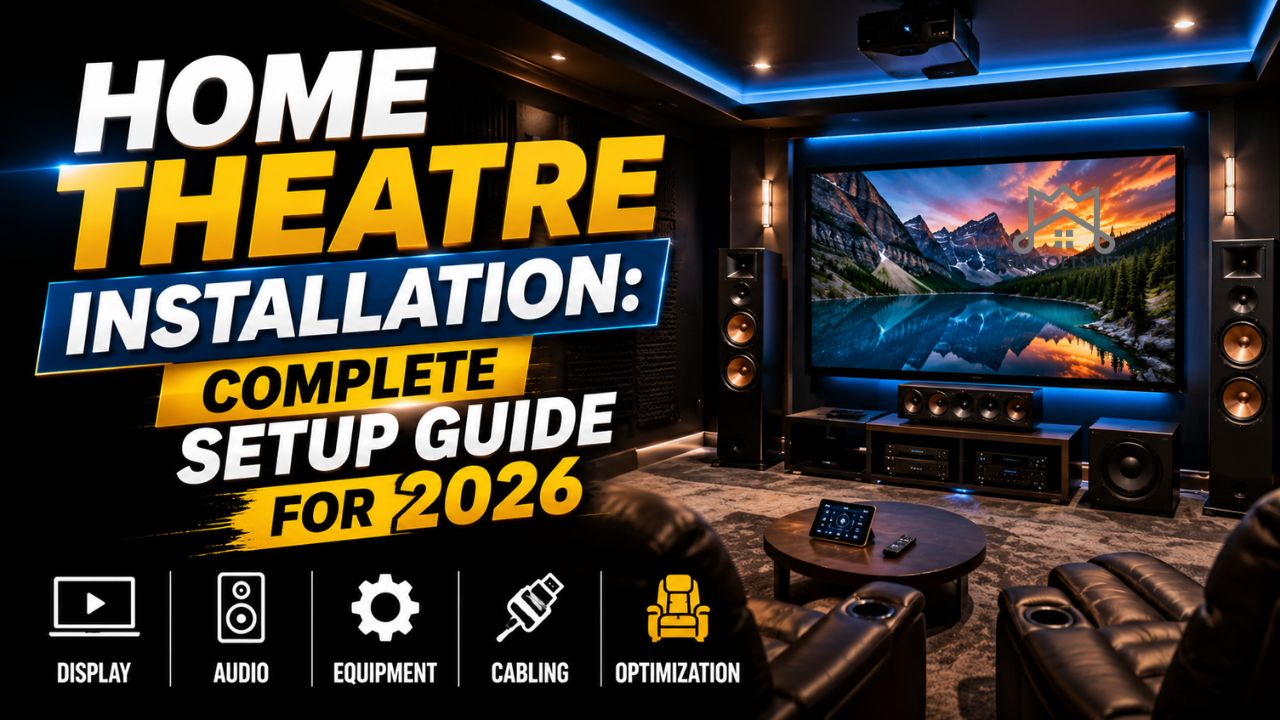
Introduction
A great movie can pull you into another world, but a poor sound system or blurry display can ruin the experience in seconds. That is why more homeowners are investing in home theatre installation solutions that transform ordinary living rooms into immersive entertainment spaces.
Whether you love blockbuster films, gaming marathons, or weekend sports nights with friends, the right setup changes everything. Crisp visuals, rich surround sound, and balanced acoustics make your home feel more like a premium cinema without the expensive ticket prices.
In reality, many people buy expensive TVs and speakers without understanding how placement, room design, or wiring affects performance. A badly positioned subwoofer can create muddy bass. Poor cable management can make an expensive room look cluttered and unfinished.
This guide breaks down everything you need to know in a practical, human way. From choosing equipment and budgeting to avoiding common mistakes, you will learn how to build an entertainment space that feels comfortable, modern, and genuinely exciting.
Understanding Home Theatre Systems
A home theatre system combines audio, video, seating, lighting, and room design into one entertainment experience. While many people think a giant TV is enough, a true cinema-style environment depends on several connected elements working together.
Core Components of a Home Theatre
Most modern systems include:
- Large 4K or 8K television or projector
- AV receiver
- Surround sound speakers
- Subwoofer
- Streaming devices
- Acoustic treatment
- Smart lighting controls
- Comfortable seating
Each component plays a unique role. The receiver acts as the brain, managing audio and video signals. Speakers create depth and direction. Acoustic panels reduce echo and improve clarity.
According to industry reports from consumer electronics associations, global demand for smart entertainment systems has grown steadily as streaming platforms and gaming technology become more advanced. People are spending more time at home, which makes personalized entertainment spaces more valuable than ever.
Different Types of Home Theatre Layouts
Not every room supports the same design. Some homeowners convert basements into full cinematic spaces, while others optimize small apartments with compact soundbars and wireless speakers.
Popular layouts include:
| Setup Type | Best For | Main Advantage |
|---|---|---|
| Soundbar Setup | Small apartments | Easy installation |
| 5.1 Surround Sound | Medium living rooms | Balanced cinematic sound |
| 7.1 Dolby Atmos | Dedicated media rooms | Immersive audio experience |
| Projector Theatre | Large dark rooms | Authentic cinema feeling |
A dedicated media room usually delivers the best results because lighting and acoustics can be controlled more effectively.
Why Professional Home Theatre Installation Matters
Many homeowners underestimate how technical entertainment systems can become. At first glance, connecting speakers and a TV may seem simple. However, cable routing, calibration, wall mounting, and acoustic balancing require precision.
A professional home theatre installation service ensures that every element works together properly. Professionals understand viewing angles, sound reflection, ventilation, and electrical safety.
Better Audio Calibration
One of the biggest differences between amateur and expert setups is audio tuning.
Professional installers use calibration tools to:
- Balance speaker levels
- Eliminate sound distortion
- Improve dialogue clarity
- Reduce bass imbalance
- Optimize surround effects
For example, if rear speakers are too close to seating, the sound becomes overwhelming instead of immersive.
Cleaner Aesthetic Design
Messy wires can instantly ruin a premium entertainment room. Professionals hide cables behind walls, organize power systems, and install sleek mounts for a polished finish.
That said, appearance is not just about style. Organized wiring improves safety and makes future upgrades easier.
Time Savings and Reduced Stress
Anyone who has spent hours untangling HDMI cables or troubleshooting audio delays understands how frustrating the process can become.
An experienced installer prevents costly errors and saves valuable time. Instead of watching setup tutorials all weekend, you can relax and enjoy the system immediately.
Planning the Perfect Entertainment Room
Before buying equipment, evaluate the room itself. Even the most expensive speakers cannot fix poor room acoustics or awkward seating arrangements.
Choosing the Best Room
The ideal entertainment room has:
- Minimal outside noise
- Limited natural light
- Enough wall space
- Proper ventilation
- Comfortable seating distance
Basements often work well because they naturally reduce outside sound and sunlight.
Understanding Viewing Distance
Screen size matters, but distance matters even more.
A screen that is too large for a small room can cause eye strain. On the other hand, a tiny television in a large room reduces immersion.
Here is a simple reference guide:
| TV Size | Recommended Viewing Distance |
| 55-inch | 7–11 feet |
| 65-inch | 8–13 feet |
| 75-inch | 9–15 feet |
| 85-inch | 10–17 feet |
Lighting Control
Natural light creates glare and weakens picture quality.
Consider:
- Blackout curtains
- Smart dimmable lights
- LED ambient strips
- Wall sconces
Soft lighting improves the atmosphere while reducing eye fatigue during long movie sessions.
Choosing the Right Audio and Video Equipment
Technology changes quickly, which makes shopping overwhelming for many buyers.
Some people spend thousands on features they never use. Others buy low-cost systems that become outdated within a year.
Selecting the Right Display
The debate between projectors and TVs continues.
TVs
Modern OLED and QLED televisions offer:
- Bright displays
- Strong contrast
- Excellent gaming performance
- Easier maintenance
Projectors
Projectors create a more cinematic experience with massive screen sizes.
However, they perform best in darker rooms.
Audio Systems Explained
Sound quality often matters more than picture quality. Surprisingly, viewers usually notice poor audio before poor visuals.
Common speaker configurations include:
| Setup | Description |
| 2.1 | Stereo speakers with subwoofer |
| 5.1 | Front, center, rear speakers plus subwoofer |
| 7.1 | Expanded surround sound channels |
| Dolby Atmos | Adds height-based audio |
A properly calibrated 5.1 setup already delivers impressive immersion for most homes.
AV Receivers and Connectivity
The AV receiver controls audio processing, switching inputs, and powering speakers.
Look for:
- HDMI 2.1 support
- Dolby Atmos compatibility
- 8K passthrough
- Wireless streaming
- Multiple HDMI inputs
Future-proofing matters because replacing receivers frequently becomes expensive.
Speaker Placement and Acoustic Optimization
Speaker positioning directly affects how realistic sound feels.
Even premium speakers sound disappointing when placed incorrectly.
Front Speaker Placement
Front left and right speakers should sit at ear level and form a triangle with the seating position.
The center speaker belongs directly above or below the screen because it handles most dialogue.
Surround Speakers
Rear speakers should sit slightly behind the listener.
If positioned too close, effects become distracting instead of immersive.
Subwoofer Positioning
Subwoofers are notoriously difficult to place.
Corners increase bass intensity but sometimes create booming frequencies. Moving the subwoofer a few feet can dramatically improve clarity.
Many installers perform a “subwoofer crawl” where the subwoofer temporarily sits in the listening position while testing bass response around the room.
Acoustic Treatment
Acoustic panels reduce echo and improve clarity.
Helpful additions include:
- Thick rugs
- Fabric furniture
- Acoustic foam
- Heavy curtains
- Wall panels
Hard surfaces like glass and tile reflect sound aggressively, creating harsh audio.
Wiring, Connectivity, and Smart Integration
Modern entertainment systems rely on stable connectivity.
A single loose cable can create audio dropouts, screen flickering, or synchronization issues.
HDMI and Cable Management
High-speed HDMI cables support modern features such as:
- 4K gaming
- HDR content
- Dolby Vision
- Variable refresh rates
Cable management solutions include:
- In-wall routing
- Raceway channels
- Cable sleeves
- Furniture concealment
A clean room instantly feels more premium and organized.
Wireless vs Wired Systems
Wireless speakers simplify installation, especially in apartments.
However, wired systems often provide:
- Better reliability
- Lower latency
- Stronger audio consistency
- Higher fidelity
That said, premium wireless ecosystems have improved dramatically over the last few years.
Smart Home Integration
Modern home theatre installation projects increasingly integrate smart home technology.
Popular features include:
- Voice assistants
- Automated lighting scenes
- Universal remotes
- Smartphone controls
- Motorized projector screens
Imagine dimming the lights, lowering the projector screen, and starting a movie with one voice command. Small conveniences create a surprisingly luxurious feeling.
Budgeting for Your Setup
Entertainment systems can range from a few hundred dollars to luxury spaces costing more than a car.
The key is balancing performance and practicality.
Entry-Level Setup
Typical cost range: $1,000–$3,000
Usually includes:
- Mid-range television
- Soundbar
- Streaming device
- Basic seating
Perfect for apartments or casual viewers.
Mid-Range Setup
Typical cost range: $4,000–$10,000
Usually includes:
- 4K OLED TV
- 5.1 surround system
- AV receiver
- Smart lighting
- Acoustic improvements
This category offers the best balance between performance and value.
Luxury Cinema Rooms
Typical cost range: $15,000+
These setups may include:
- Custom seating
- Fiber optic ceilings
- High-end projectors
- Dolby Atmos systems
- Professional acoustic engineering
Some luxury homeowners even add mini snack bars and automated reclining chairs.
Common Mistakes Homeowners Make
Even enthusiastic buyers make expensive errors.
Overspending on the Wrong Components
Many people buy giant televisions while ignoring audio quality.
In reality, balanced systems outperform setups with one premium component and several weak ones.
Ignoring Room Acoustics
Bare walls and hardwood floors create unpleasant reflections.
Acoustic treatment may not seem exciting, but it dramatically improves sound quality.
Poor Seating Layout
Seats positioned too close to rear speakers can create an overwhelming experience.
Comfort and viewing angles should always guide furniture placement.
Skipping Professional Calibration
Modern systems include advanced tuning features, but improper settings still reduce performance.
A calibrated system sounds cleaner, smoother, and more immersive.
DIY vs Professional Installation
Some homeowners enjoy building systems themselves. Others prefer hiring experts immediately.
Both approaches have benefits.
DIY Advantages
DIY installation can:
- Save money
- Create learning opportunities
- Allow full customization
- Deliver personal satisfaction
Many tech enthusiasts genuinely enjoy the process.
DIY Challenges
However, DIY setups often involve:
- Wiring mistakes
- Audio imbalance
- Poor cable concealment
- Incorrect mounting
- Time-consuming troubleshooting
A poorly mounted television can even become a safety hazard.
When Professionals Make Sense
Professional installers are especially valuable for:
- Dedicated theatre rooms
- Complex surround systems
- Projector calibration
- Smart home integration
- In-wall wiring
For large projects, expert guidance often prevents expensive repairs later.
Maintenance and Future Upgrades
Technology evolves constantly, but regular maintenance keeps systems performing well for years.
Cleaning and Ventilation
Dust buildup affects electronics more than many people realize.
Keep:
- Vents unobstructed
- Screens clean
- Filters dust-free
- Components properly ventilated
Overheating shortens equipment lifespan.
Software Updates
Smart TVs, receivers, and streaming devices receive firmware updates regularly.
Updates improve:
- Security
- Streaming compatibility
- Audio performance
- Bug fixes
Ignoring updates sometimes causes app failures or connectivity problems.
Planning Future Expansion
A scalable home theatre installation allows easy upgrades later.
For example, buyers may initially start with 5.1 audio and later expand to Dolby Atmos.
Choosing compatible receivers and speakers simplifies future improvements.
Real-Life Example: A Family Room Transformation
One homeowner in Texas converted a rarely used basement into a media room after realizing their family spent most weekends streaming movies together.
Initially, they planned to buy only a larger television. However, after consulting an installer, they discovered the room suffered from severe echo because of tile flooring and bare walls.
The installer recommended:
- Acoustic panels
- A 5.1 surround setup
- Smart dimmable lights
- Hidden cable routing
- A mid-range OLED television
The final result completely changed how the family spent time together. Weekend movie nights became a regular tradition, and the room quickly became the most popular space in the house.
Stories like this explain why personalized entertainment spaces continue growing in popularity.
How Home Theatre Trends Are Changing in 2026
Technology continues reshaping the entertainment experience.
Several trends are dominating the market.
Immersive Audio Formats
Dolby Atmos and spatial audio technologies are becoming standard features instead of luxury upgrades.
Gaming-Focused Rooms
Gamers increasingly invest in low-latency displays, high refresh rates, and advanced sound systems.
Competitive gaming and cinematic storytelling now overlap heavily.
Eco-Friendly Components
Energy-efficient displays and smart power management systems are becoming more important to environmentally conscious buyers.
AI-Powered Smart Controls
Artificial intelligence now automates lighting, sound modes, and streaming recommendations.
Some advanced systems even adjust sound profiles based on room occupancy.
Tips for Getting the Best Value
A successful home theatre installation is not about spending the most money. It is about making thoughtful choices.
Here are practical ways to maximize value:
- Prioritize sound quality over screen size
- Invest in proper seating comfort
- Avoid extremely cheap HDMI cables
- Plan for future upgrades
- Focus on room acoustics early
- Compare warranties before buying
- Use surge protection for expensive equipment
Small decisions often make the biggest difference over time.
FAQs
What is included in a home theatre installation?
Most setups include a television or projector, speakers, AV receiver, wiring, mounting, calibration, and smart connectivity features.
How much does home theatre installation cost?
Costs vary widely. Entry-level systems may cost around $1,000, while luxury cinema rooms can exceed $20,000.
Is professional installation worth it?
Professional installation improves audio calibration, cable management, safety, and overall system performance.
Which is better: projector or TV?
Televisions offer brighter displays and easier maintenance, while projectors create a more cinematic large-screen experience.
How long does installation take?
Simple setups may take a few hours. Complex media rooms with custom wiring can require several days.
Can wireless speakers replace wired systems?
Wireless speakers are convenient and increasingly powerful, but wired systems usually provide more stable and consistent performance.
What room size is best for a home theatre?
Medium-to-large rooms with controlled lighting and minimal outside noise generally work best.
Do I need acoustic treatment?
Yes. Acoustic panels, rugs, and curtains reduce echo and improve clarity significantly.
How often should I upgrade equipment?
Most quality systems remain effective for several years. Upgrading every five to seven years is common for major components.
Conclusion
A thoughtfully designed entertainment room can completely change how you experience movies, games, sports, and even family gatherings. The best setups are not always the most expensive ones. Instead, they balance comfort, sound quality, smart design, and long-term practicality.
Whether you choose a compact apartment setup or a dedicated cinematic room, careful planning makes every dollar count. From speaker placement and lighting control to smart automation and acoustic treatment, every detail contributes to a more immersive experience.
Most importantly, a well-designed home theatre becomes more than a collection of electronics. It turns into a shared space where people relax, celebrate, laugh, and create lasting memories together.