
Introduction
A great movie night does not start when you press play. It starts with the room, the screen, the sound, and the feeling you create around them. If you want to learn how to set up home theater, the good news is that you do not need a mansion or a Hollywood-level budget.
Most people make the same mistake. They buy a big TV, add speakers later, and hope everything feels cinematic. In reality, the best home theater setup comes from smart planning: where you sit, where the speakers go, how light enters the room, and how cleanly everything works together.
This guide walks you through each step in a practical way. You will learn how to choose the right room, plan your screen, place speakers, manage wires, improve acoustics, and calibrate everything for a better movie, gaming, and sports experience.
Choosing the Right Room
The room matters more than many people think. A smaller, well-planned room can feel better than a large room with poor speaker placement and bright windows.
A good home theater room should have controlled light, enough wall space, comfortable seating, and limited outside noise. Bedrooms, basements, spare rooms, and closed living rooms usually work better than open-plan areas.
Dolby’s speaker setup guidance also points toward room considerations and speaker positioning as part of getting the best surround sound experience.
Best Room Features for a Home Theater
| Room Feature | Why It Matters |
|---|---|
| Low outside noise | Helps dialogue and quiet scenes sound clearer |
| Limited windows | Reduces glare on TV or projector screen |
| Rectangular shape | Easier for speaker and seating placement |
| Carpet or rugs | Helps reduce harsh echoes |
| Enough power outlets | Keeps wiring cleaner and safer |
A room does not need to be perfect. Heavy curtains, rugs, bookshelves, and soft furniture can improve the space without expensive remodeling.
Planning Your Home Theater Budget
Before buying anything, decide what matters most to you. Some people care most about huge visuals. Others want deep bass, clean dialogue, or gaming performance.
Here is a simple way to split your budget:
| Item | Suggested Budget Share |
|---|---|
| TV or projector and screen | 30–40% |
| Speakers and subwoofer | 25–35% |
| AV receiver or sound processor | 15–25% |
| Cables, mounts, lighting, seating | 10–20% |
For beginners, a 5.1 setup is often the sweet spot. That means front left, center, front right, two surround speakers, and one subwoofer. You can upgrade later to 7.1 or Dolby Atmos if the room supports it.
Picking the Best Screen or Projector
Your screen is the visual anchor of the room. A large 4K TV is simple, bright, and easy to install. A projector feels more cinematic but needs better light control.
Choose a TV if your room has windows, daytime use, gaming, or limited installation space. Choose a projector if you want a bigger image and can darken the room properly.
TV vs Projector
| Option | Best For | Watch Out For |
|---|---|---|
| 4K TV | Bright rooms, gaming, easy setup | Size can get expensive |
| Projector | Large cinematic image | Needs darker room |
| Ultra short throw projector | Big image in smaller rooms | Requires careful screen pairing |
For most homes, 65 to 85 inches is enough for a living room theater. For a dedicated cinema room, a projector with a 100 to 120-inch screen can feel more immersive.
How to Set Up Home Theater Speakers
This is where the magic happens. If you are learning how to set up home theater, speaker placement should not be an afterthought.
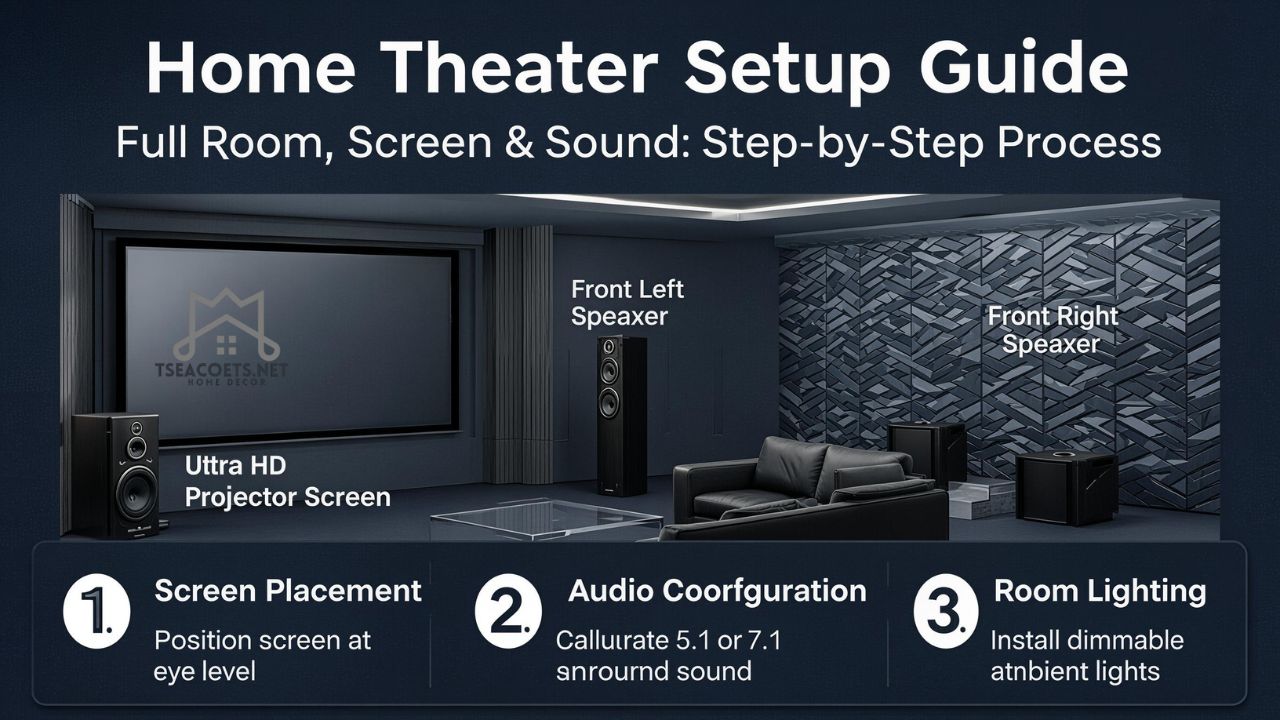
The center speaker handles most dialogue, so place it close to the screen, aimed at ear level. Front left and right speakers should create a natural soundstage around the screen. Surround speakers should sit beside or slightly behind the main seating area.
Dolby recommends choosing a central listening position and aiming speakers toward it, with listener-level speakers generally around seated ear height unless the setup guide says otherwise.
Basic 5.1 Speaker Layout
| Speaker | Placement Tip |
|---|---|
| Center | Directly above or below the screen |
| Front left/right | On both sides of screen, angled toward seating |
| Surround left/right | Beside or slightly behind the sofa |
| Subwoofer | Front corner or front wall, then test for best bass |
| Main seat | Centered with screen and speaker layout |
Should You Add Dolby Atmos?
Dolby Atmos adds height effects, such as rain, aircraft, or overhead movement. It works best with ceiling speakers, but upward-firing speakers can help when ceiling installation is not possible.
CEDIA’s RP22 recommended practice focuses on immersive audio design using structured performance levels and engineering-based system layout, which shows how much speaker planning matters in modern private entertainment spaces.
AV Receiver, Streaming, and Source Devices
An AV receiver is the control center of a traditional home theater. It connects your TV or projector, speakers, subwoofer, game console, Blu-ray player, and streaming device.
Look for these features:
- Enough HDMI inputs
- 4K or 8K passthrough support
- eARC support
- Room correction software
- Enough speaker channels for your setup
- Dolby Atmos or DTS:X support if needed
If you use only a soundbar, the setup is easier. Connect it through HDMI eARC, place the subwoofer properly, and use the soundbar’s calibration app if available.
Wiring and Cable Management
Messy cables can ruin the clean theater look. Plan wiring before mounting anything.
Use HDMI cables rated for your TV or projector needs. For long projector runs, active HDMI or fiber HDMI may be better. Speaker wire should be long enough to route neatly along walls, under rugs, or through cable channels.
Label both ends of every cable. It sounds boring, but it saves a lot of frustration later.
Simple Cable Checklist
- HDMI cable from receiver to TV/projector
- Speaker wire for each passive speaker
- Subwoofer cable
- Power strips with surge protection
- Cable sleeves or raceways
- Labels for both cable ends
Lighting and Room Comfort
Lighting changes the whole mood. Bright overhead lights make a theater feel flat. Soft, layered lighting makes it feel premium.
Use dimmable wall lights, LED strips behind the TV, floor lamps, or smart bulbs. Avoid placing lights where they reflect directly on the screen.
Comfort matters too. A slightly imperfect room with cozy seating will be used more than a technically perfect room that feels stiff.
Acoustic Treatment and Sound Control
Sound reflections can make dialogue muddy. Bass can feel boomy in corners. Bare walls and hard floors often make the room harsh.
Simple fixes include:
- Add a rug
- Use thick curtains
- Place bookshelves on side walls
- Add fabric panels at reflection points
- Move seating away from the back wall
- Reduce rattling objects near the subwoofer
A recent home theater design discussion also noted that moving seating away from walls and adding basic acoustic treatment can improve bass consistency and dialogue clarity.
Step-by-Step Installation Checklist
Follow this order for a smoother setup:
- Pick the room and main seating position.
- Decide between TV and projector.
- Measure screen distance and wall space.
- Choose 2.1, 3.1, 5.1, 7.1, or Atmos layout.
- Place the screen at comfortable eye level.
- Install front speakers around the screen.
- Place surround speakers beside or behind seating.
- Test subwoofer positions.
- Connect all devices to the AV receiver.
- Run room correction or manual calibration.
- Adjust dialogue level, bass, and brightness.
- Save settings for movies, gaming, and sports.
This simple process is the heart of how to set up home theater without feeling overwhelmed.
Common Home Theater Mistakes
Many home theaters disappoint because of small planning errors.
Avoid these mistakes:
- Mounting the TV too high
- Placing the center speaker inside a closed cabinet
- Putting the sofa directly against the back wall
- Buying huge speakers for a tiny room
- Ignoring room echo
- Using cheap, unreliable HDMI cables
- Forgetting ventilation around the receiver
- Setting the subwoofer too loud
- Not calibrating audio after setup
A home theater should feel balanced. Loud bass alone does not make it cinematic. Clear dialogue, natural surround effects, and comfortable viewing matter just as much.
FAQs
How much does it cost to set up a home theater?
A basic home theater can start with a TV and soundbar. A stronger setup with a 5.1 speaker system, AV receiver, and proper seating costs more but gives a much better cinema feel.
What is the best room size for a home theater?
A medium rectangular room is usually best. The room should allow proper seating distance, speaker placement, and light control.
Do I need a projector for a home theater?
No. A large 4K TV can be excellent, especially in bright rooms. A projector is better when you want a much larger cinematic screen.
Is 5.1 surround sound enough?
Yes, 5.1 is enough for most homes. It gives clear front sound, surround effects, and bass without making the setup too complex.
Where should the subwoofer go?
Start near the front wall or a front corner. Then test different spots because bass changes a lot depending on the room.
Can I set up a home theater in a living room?
Yes. Use a large TV, clean speaker placement, rugs, curtains, and dim lighting. A living room setup can still feel immersive.
What is the most important speaker in a home theater?
The center speaker is very important because it carries most dialogue. Poor center placement can make voices hard to understand.
How long does it take to set up a home theater?
A simple setup may take a few hours. A full wired surround system with mounts, cable routing, and calibration may take a full day or more.
Conclusion
Learning how to set up home theater is really about building the right experience, not just buying expensive gear. Start with the room, choose the right screen, place your speakers carefully, control the lighting, and spend time on calibration.
A thoughtful setup makes movies feel bigger, games feel more exciting, and family nights feel warmer. When the picture, sound, comfort, and mood work together, your home theater becomes the room everyone wants to use.